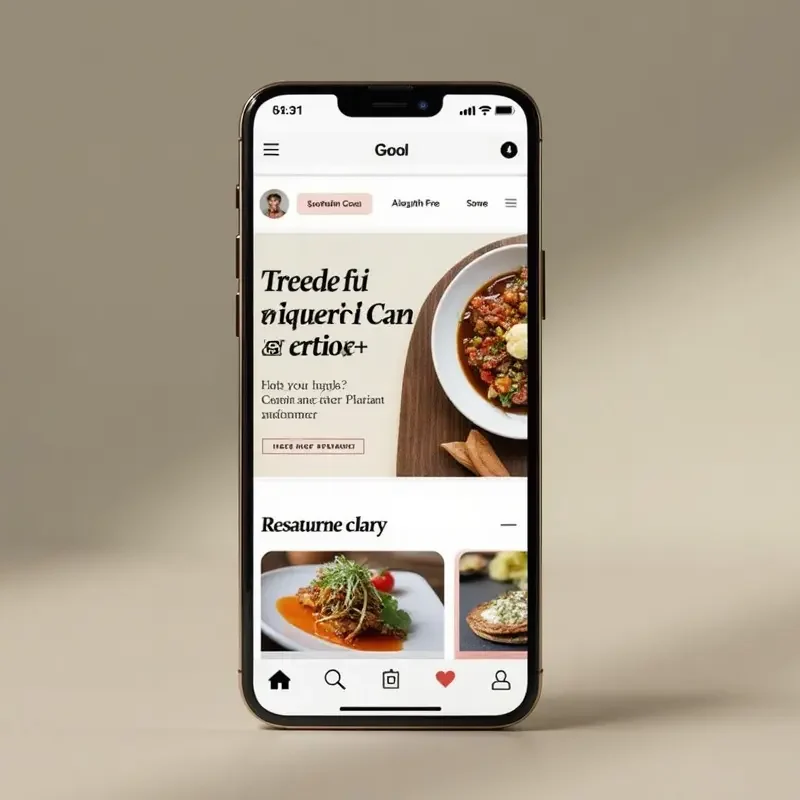
In the rapidly evolving world of mobile technology, keeping pace with emerging user interface (UI) trends is essential for building apps that stand out in both form and function. As mobile applications become a primary touchpoint for users globally, designers and developers must stay keenly aware of groundbreaking trends. Innovations like adaptive interfaces and gesture-based navigation are no longer futuristic concepts—they are vital tools for elevating user experience (UX).
Whether you are optimizing for mobile search design or striving to build a more accessible platform, staying ahead is crucial. Successful mobile design in 2026 means not just meeting user expectations but anticipating and exceeding them through sophisticated, user-centric approaches.
Several significant trends are shaping the way people engage with mobile apps today. The convergence of artificial intelligence with personalized layouts, the prioritization of minimalism, the widespread embrace of gesture navigation, and an increased focus on user comfort through dark mode and customizable themes define this period. Equally, accessibility features are no longer nice-to-haves; they are expected as standard, broadening inclusivity and ensuring every user has a smooth, enjoyable experience.
By embracing these strategic changes, developers are driving meaningful improvements in the way apps look, feel, and function. Their commitment to these trends is noticeably enhancing usability, reducing friction, and building deeper trust. This focus not only meets current user expectations but also lays the foundation for future advancements. Those who prioritize both visual clarity and inclusive user journeys will continue to thrive.
Adaptive Interfaces and AI-Driven Personalization
Adaptive interfaces are revolutionizing how users interact with mobile applications by automatically tailoring content, navigation, and layouts to individual behavior. Harnessing artificial intelligence, these systems analyze user behavior, such as browsing history, feature usage frequency, and navigation preferences, to make personalized adjustments. For instance, AI can suggest content, reorder frequently used features, or even reconfigure layouts to increase accessibility.
This leads to a more intuitive, relevant experience, raising both satisfaction and engagement rates. The business case for AI-driven personalization continues to grow. Tech giants like Google and Apple are integrating these concepts on their platforms, driving the mainstream adoption of personalized mobile experiences. The outcome is improved retention and prolonged user engagement, ultimately impacting an app’s success.
Developers who integrate AI-enhanced adaptability early are given a clear strategic advantage over their counterparts. For additional insights into modern design trends, explore this WiredSync resource on the future of mobile app design, which emphasizes the growing importance of these practices.
Minimalist Design Principles
The minimalist approach remains at the heart of cutting-edge UI design. This trend is defined by its focus on clarity, usability, and the removal of all nonessential elements. By opting for simple, readable typography, generous white space, and a streamlined color palette, designers reduce cognitive overload and sharpen user focus on critical interactions. Minimalism not only enhances app aesthetics but also improves overall usability by eliminating distractions that could otherwise derail workflows.
The minimalist methodology aligns with the growing demand for fast, responsive applications. Users expect to complete tasks quickly and effortlessly, without wading through visual clutter or unnecessary layers. As seen in top-performing global apps, these principles help build trust, reinforce brand identity, and boost long-term loyalty.
Gesture-Based Navigation
Gesture-based navigation represents one of the most impactful changes in how users interact with their devices. Swiping, pinching, long-pressing, and tapping have taken center stage in recent years, gradually reducing the need for traditional navigation buttons. This transition creates more immersive, screen-real estate efficient experiences, enabling users to perform complex actions with a simple and natural touch.
Contemporary operating systems are leveraging these gestures to simplify user journeys, making it effortless to move between apps, return to home screens, or reveal menus. For designers, the shift calls for careful attention to discoverability and consistency, ensuring users can intuitively learn and remember new gestures. Comprehensive guidelines from industry leaders, such as Apple’s Human Interface Guidelines, provide valuable guidance for effective implementation.
Dark Mode and Customizable Themes
Dark mode has become a standard feature across major mobile platforms. Besides offering an alternative visual style, it reduces eye strain in low-light conditions and conserves battery life on OLED displays. Coupled with customizable themes, these features empower users to personalize their experience further, adjusting interfaces to their unique preferences for color, brightness, and visual contrast.
App developers should recognize the growing user demand for customization and comfort. The ability to toggle between light and dark themes, or even set app appearances to match system-wide settings, helps create a more engaging and user-friendly environment, increasing the likelihood of sustained interaction over time.
Prioritizing Accessibility Features
Accessibility is a core expectation in 2026’s mobile landscape. Designers are integrating voice control, dynamic text sizing, screen readers, and alternative navigation methods into their applications as a standard practice. These features ensure that apps are usable by people with varying physical abilities, visual impairments, and cognitive challenges. Creating inclusive applications is both a social responsibility and a business imperative.
By following accessibility standards, such as the Web Content Accessibility Guidelines (WCAG), developers not only reach a wider audience but also protect themselves from legal and reputational risks. Incorporating accessibility best practices from the start paves the way for universal usability and reflects a forward-thinking, user-first mindset.
Conclusion
Keeping abreast of mobile UI trends is essential for crafting standout applications that meet the evolving demands of a diverse, global audience. A commitment to adaptive design, minimalist principles, gesture navigation, customizable features, and robust accessibility will set the most competitive apps apart, paving the way for exceptional user experiences well into the future. As mobile technology continues to advance, designers and developers must remain flexible, continuously learning and refining their approaches to keep pace with user expectations and platform updates.
Emphasizing usability, performance, and inclusivity ensures that applications remain relevant and engaging across different devices and user contexts. Ultimately, staying aligned with modern UI trends not only enhances visual appeal but also strengthens functionality, user satisfaction, and long-term product success in an increasingly competitive digital landscape.